Time rules
Decide what every sub is worth
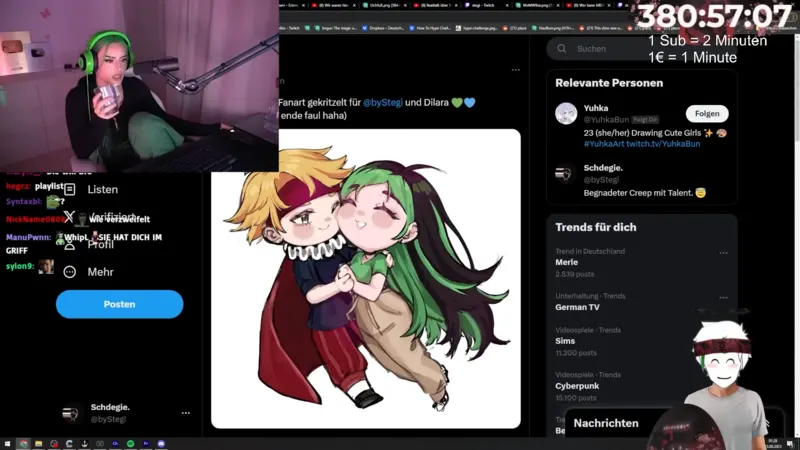
Set how much time each event adds: per sub, per 100 bits or per euro donated. Rules run from top to bottom, and a limit per contribution keeps single events in check.
- Subs, resubs, gift subs, bits, Kicks, tips, raids and product sales
- Starts with sensible defaults: 5 minutes per sub, 1 minute per 100 bits or per 1.00 donated
- Test every rule before you go live
Sources
Twitch, Kick and your donation tools
Time comes in from Twitch and Kick directly, and from StreamElements, Streamlabs, TipeeeStream, Ko-fi, betterplace and Shopify. Each event type counts from one source only, so nothing is added twice.
Control
Stay in control of the clock
Pause and resume without losing time, add or remove minutes with one click, and cap the subathon with a maximum duration or a fixed end time. Mods get their own permissions to view, control or edit.
- Quick buttons for −5, −1, +1 and +5 minutes
- A time cap as a maximum duration or an end date
- Every change lands in the activity log
Overlay
A subathon timer overlay for OBS
Add the subathon layer to any Vision overlay. Pick one of five themes and show the timer, milestones, the latest contributor or live stats.
- Milestones for subs, gift subs, cheers, donations or time added
- A countdown before the start and a summary after the end
- Updates live, even after a reconnect
Pricing
Plans
Free
Your first overlay. One layout, twenty widgets, no credit card.
Basic14 days free trial
More overlays, logo rotations and lobbies — for a small stream team.
ProRecommended
Unlimited overlays, alerts, quizshows, guest calls and custom roles.
5 days free trial
All prices are inclusive of the applicable sales tax. The actual sales tax will be calculated based on your location and may vary by country.
1 Your free overlay includes up to 10 layers and can be used in 1 OBS instance at a time.
2 Shared storage is used by overlay assets like images or fonts, and logos in logo rotations.
3 AI Moderation is a paid chatbot add-on: €19/month with 250,000 messages included, then €10 per extra started 500,000 messages.
